POS & Billing · 7 min read · Updated 2026-10-29
Salon Billing Software in India: Essential GST & POS Features to Look For
Choosing the right salon POS billing software saves time at the reception desk and keeps your daily cash, UPI, card, and GST tax records accurate.
What Makes Salon Billing Different from Generic Retail POS?
A supermarket or restaurant billing machine is designed around barcode scanning and fixed item tables. A salon checkout desk, however, has to combine multiple services performed by different stylists, apply promotional rate cards or membership discounts, add take-home shampoos or serums from the retail shelf, and optionally calculate GST (CGST/SGST) on a single invoice.
Using a generic billing tool forces receptionists to calculate stylist attributions and service discounts on a calculator before typing a final number. Dedicated salon POS software handles all of those calculations automatically.
Essential Feature 1: Combined Service & Retail Product Checkout
When a customer finishes a hair spa and decides to buy a sulphate-free shampoo from your display rack, your receptionist should not have to generate two separate bills.
Look for a POS terminal where you can add both salon services and shop inventory items to the same bill, assign the stylist who delivered each service, and automatically deduct sold retail units from your shop stock.
- One-click conversion from a completed appointment into an itemized POS invoice.
- Support for adding multiple services and retail products on the same bill.
- Automatic stock deduction when retail products are billed at checkout.
- Clear attribution of each service to the performing stylist for accurate performance tracking.
Essential Feature 2: Optional GST Invoicing & Tax Controls
Not every salon in India has the same tax setup. Smaller neighbourhood parlours below the GST threshold need clean non-GST receipts, while larger studios and unisex salons require GSTIN display and automatic CGST/SGST tax breakdowns.
In Salon Point, salon owners can toggle GST billing on or off anytime in Invoice Settings, configure their custom invoice prefix (for example, INV-2026-), and set applicable tax rates without complicated accounting setups.
Essential Feature 3: Payment Mode Reconciliation (Cash, UPI, Card)
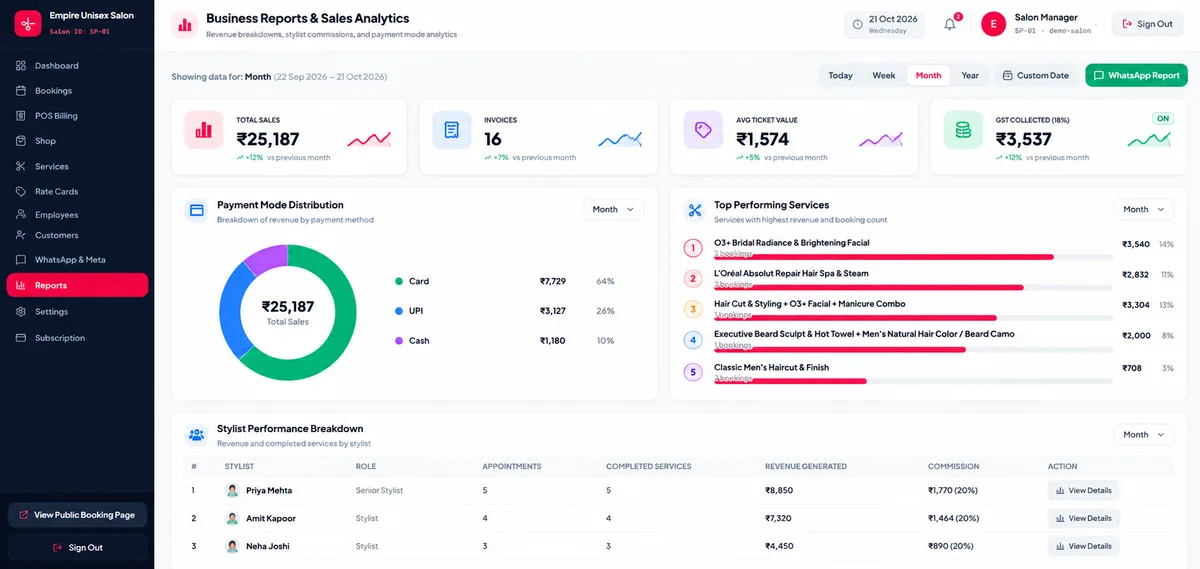
At closing time, salon owners need to know exactly how much money was collected via UPI QR codes, Cash in the drawer, and Credit/Debit cards. Recording the payment method on every invoice eliminates end-of-day reconciliation mismatches and gives you clean daily collection reports.
Frequently Asked Questions
Can I use Salon Point POS if my salon is not GST registered?
Yes. GST is completely optional in Salon Point. By default, new salon accounts have GST disabled for simple, clean customer receipts, and you can enable GST with your GSTIN whenever required.
Does the POS link customer bills to their profile history?
Yes. Every generated invoice is automatically stored under the customer’s profile so you can view their lifetime spend, past services, and invoice history on future visits.